Live Temperature Radar: How to Identify and Track Heat Waves in Real Time
A live temperature radar helps you monitor temperature patterns and identify areas experiencing extreme heat. With GoWeatherRadar, you can explore temperature conditions on an interactive map and follow forecast changes over time. Learn how to read the temperature layer, recognize potential heat wave patterns, and use weather data to plan outdoor activities more safely.
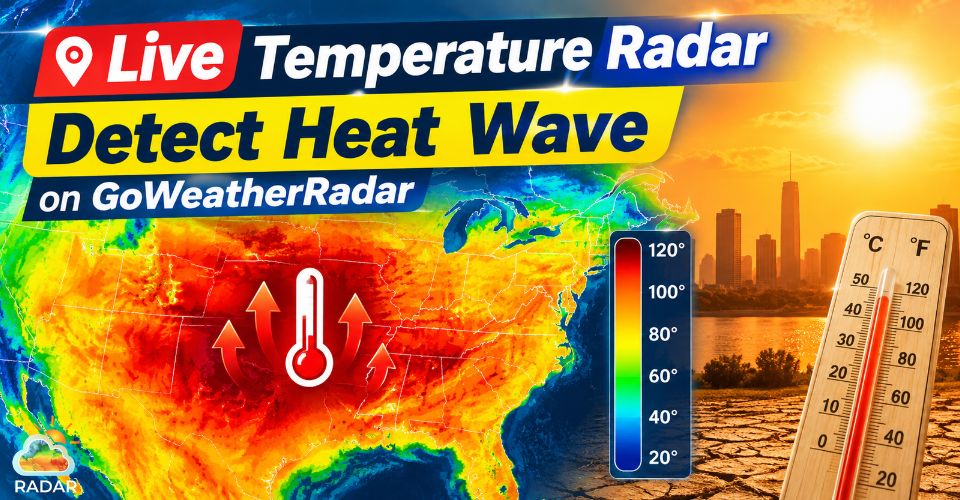
Live temperature radar
Understand Live Temperature Radar in Heat Wave Monitoring
A live temperature radar displays temperature patterns across different locations, helping users identify hot spots and monitor changing heat conditions.
On GoWeatherRadar, you can select the Temperature layer, view temperatures in Celsius or Fahrenheit, and compare conditions across the map.
Unlike rain or thunderstorm radar, which detects precipitation and storm activity, a temperature map focuses on how heat is distributed across an area.
This makes it useful for spotting regions with unusually high temperatures and tracking potential heat wave conditions.
Monitoring temperature patterns over time can also help you identify when heat may intensify or ease.
However, a single high-temperature reading does not confirm a heat wave, which typically involves unusually hot conditions lasting for multiple days.
For a clearer picture, compare temperature forecasts with wind and pressure patterns, and check official weather alerts for your area.
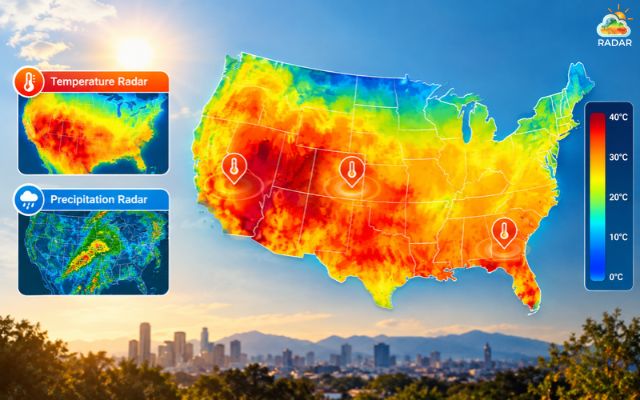
Live temperature radar helps track temperature patterns
What to Look for on a Temperature Radar
A temperature radar helps you identify hot spots and monitor how temperatures change across different locations.
When using GoWeatherRadar, focus on these three indicators to better understand potential heat wave conditions.
-
Temperature Colors and Ranges
Check the temperature legend to understand the values represented by each color. On GoWeatherRadar, the Temperature scale ranges from −20°C to 40°C, with a Fahrenheit option available.
Pay attention to areas showing the highest temperatures, especially when extreme heat covers a wide region.
-
Wind and Atmospheric Pressure
High-pressure systems can contribute to prolonged hot weather, while weak winds may allow heat to persist in some areas.
GoWeatherRadar provides separate Wind and Pressure layers, allowing you to compare these conditions with the temperature map.
However, these patterns alone cannot confirm a heat dome or heat wave.
-
Temperature Changes Over Time
Compare forecast temperatures across different time periods to see whether hot conditions may intensify, spread, or ease.
Look for sustained high temperatures over several days rather than a single hot reading.
GoWeatherRadar uses the ECMWF 9 km forecast model, with a displayed update interval of 12–13 hours, so check the latest update before making decisions.
For heat safety, combine these indicators with local weather alerts and official forecasts.
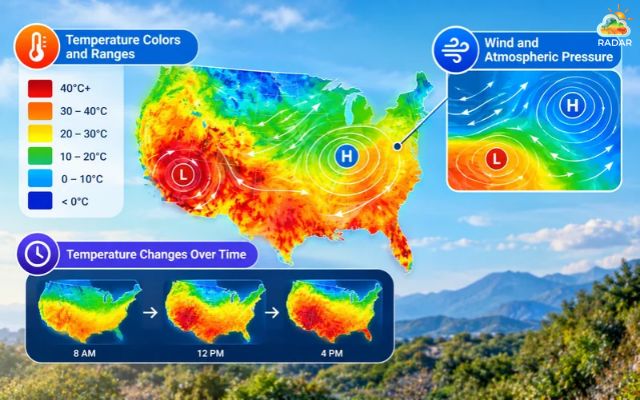
Temperature colors and forecast trends help you understand changing heat conditions
How to Identify Heat Wave on Live Temperature Radar
A live temperature radar helps you spot areas experiencing high temperatures and monitor how heat may change over time.
With GoWeatherRadar, you can explore temperature patterns, adjust units, and compare available weather layers.
Read more: How accurate is GoWeatherRadar
Follow these steps to assess potential heat wave conditions.
Step 1: Open GoWeatherRadar and Select Your Location
Visit GoWeatherRadar Radar Map. Enter your city or location in the search bar, or use the location icon to focus on your area.
Step 2: Choose the Temperature Layer
Open the map settings and select Temperature. You can display temperatures in Celsius (°C) or Fahrenheit (°F), depending on your preference.
Step 3: Read the Temperature Scale
Use the map legend to identify temperature ranges. GoWeatherRadar's displayed scale ranges from −20°C to 40°C.
Focus on areas with the highest temperature values and check whether hot conditions cover a broad region.
|
Color legend |
Temperature range |
What it indicates |
|
Purple |
≤ - 20°C |
Freezing temperatures and extreme cold |
|
Teal/ Cyan |
- 10°C to 0°C |
Below-freezing to freezing conditions |
|
Green |
0°C to 10°C |
Cool to mild weather |
|
Yellow |
10°C to 20°C |
Warm and comfortable temperatures |
|
Orange |
20°C to 30°C |
Hot weather |
|
Red/ Dark Red |
30°C to 40°C+ |
Extreme heat or potential heatwave conditions |
What about the color legend in other layers? Learn on Weather radar color!
Step 4: Track Heat Wave Development Over Time
Use the map's forecast timeline to compare temperature patterns across available time periods.
GoWeatherRadar identifies its forecast model as ECMWF 9 km, with an update interval of 12–13 hours.
Check whether high temperatures are expected to persist or spread, and review the latest forecast before making plans.
Step 5: Compare Wind and Pressure Patterns
Switch to the Wind and Pressure layers to examine additional atmospheric conditions.
Persistent high pressure and weak winds can contribute to prolonged heat in some situations.
However, these indicators cannot confirm a heat dome on their own. Check official local forecasts and heat alerts to assess the actual risk.
Essential Safety Tips When GWR Detects a Heat Wave
If GoWeatherRadar shows unusually hot conditions in your area, follow these practical safety tips:
-
Avoid peak heat: Use GoWeatherRadar’s forecast timeline to plan outdoor activities during cooler hours.
-
Stay hydrated: Drink water regularly and take breaks in shaded or air-conditioned spaces.
-
Wear protective clothing: Choose lightweight clothing, wear a hat, and apply sunscreen.
-
Check official alerts: Follow local weather warnings and public health advice during extreme heat.
-
Watch for heat illness: Seek a cool place if you feel dizzy or nauseated. Confusion or collapse requires emergency medical attention.
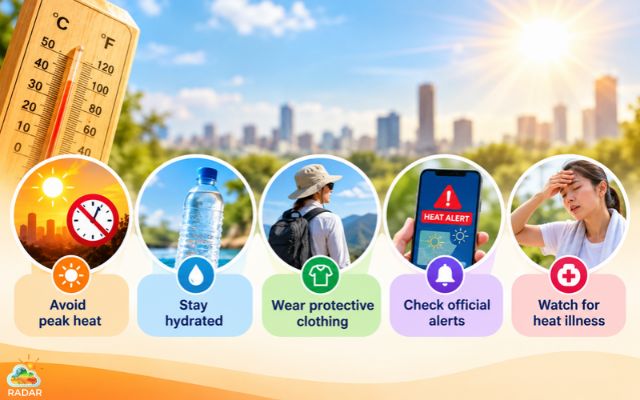
Monitor local temperatures, avoid peak heat, stay hydrated, and follow official weather alerts
For a full guide on how to use GoWeatherRadar, drop by here!
Sum up
A live temperature radar helps you monitor rising temperatures and identify potential heat wave conditions. With GoWeatherRadar, you can explore temperature patterns, track forecast changes, and compare wind and pressure layers. Use these insights to plan outdoor activities wisely, stay prepared for extreme heat, and always follow official weather alerts to protect your health.



0 Comments
Leave a Comment
Your email address will not be published. Required fields are marked *