How Accurate Is GoWeatherRadar: A Closer Look at Its Forecasts
How accurate is GoWeatherRadar? Its forecasts use ECMWF model data to help users track rain, snow, wind, and temperature. However, accuracy varies by location and forecast period. Explore how GoWeatherRadar works, what affects forecast reliability, and how to use its interactive weather maps to make better-informed daily plans.
How accurate is GoWeatherRadar
How Accurate is GoWeatherRadar for Daily Forecasts
GoWeatherRadar helps users track changing weather conditions and plan their day with an interactive map powered by the ECMWF 9 km forecast model.
It displays weather information such as rain, snow, wind, and temperature, allowing users to explore current forecast patterns and upcoming conditions in their area.
-
Short-Term Forecasts and Nowcasting (Next 1–3 Hours)
Short-term forecasts help users track changing weather conditions.
GoWeatherRadar displays forecast rain, snow, and wind patterns, helping users identify potential weather changes.
However, exact storm timing and intensity may differ from predictions, so check official alerts during severe weather.
-
Hourly and Daily Forecasts (Next 24–48 Hours)
GoWeatherRadar uses ECMWF 9 km forecast data to show expected weather conditions over different hours and days.
Users can check temperature, precipitation, and wind trends to plan daily activities. Although useful for short-term planning, forecasts may not fully reflect rapidly changing local conditions.
-
Extended Forecasts (7 Days and Beyond)
Extended forecasts help users identify general weather trends and plan trips or outdoor activities.
However, uncertainty increases further into the forecast period, and details such as rainfall timing and temperature may change.
Check updated forecasts before finalizing plans.
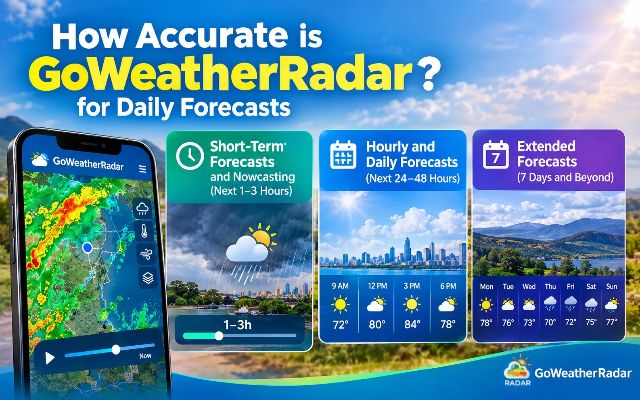
Track forecast rain, snow, and wind patterns on GoWeatherRadar
Why is GoWeatherRadar Accurate
GoWeatherRadar uses the ECMWF 9 km forecast model to present weather predictions through an interactive map.
Its usefulness comes from combining forecast data with clear visual layers, helping users understand changing weather conditions without needing to interpret complex meteorological charts.
More to explore
- Weather forecast and radar map
- Radar vs satellite weather
-
ECMWF Forecast Model
The European Centre for Medium-Range Weather Forecasts (ECMWF) develops numerical weather predictions using atmospheric observations and computer models.
GoWeatherRadar displays ECMWF 9 km forecast data, which provides a consistent basis for viewing expected weather patterns.
However, the model's resolution does not guarantee accuracy at every street or neighborhood.
-
Multiple Weather Layers
Users can switch between rain, snow, wind, temperature, and air pressure maps. These layers help explain different aspects of the weather.
For example, the precipitation layer shows forecast rain and snow accumulation, while the wind layer helps users check wind speed and direction.
Viewing several relevant layers can provide a more complete picture than checking temperature alone.
-
Forecast Timeline and Settings
The interactive map allows users to explore weather conditions across different forecast times.
Settings for measurement units, time format, and time zone also make the information easier to interpret for different locations.
These features make GoWeatherRadar practical for everyday weather monitoring.
Still, forecast accuracy depends on changing atmospheric conditions, location, and forecast lead time.
Checking the displayed update interval and comparing important forecasts with official weather reports can help users make better-informed decisions.
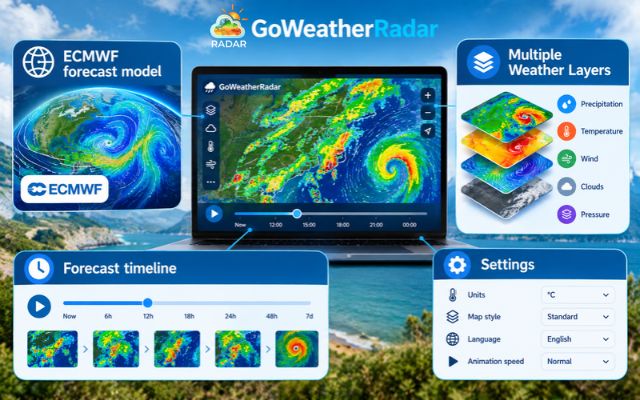
Interactive weather layers help you monitor changing conditions
Windy vs GoWeatherRadar: Which is Better
Now let’s take a look at how GoWeatherRadar compares to Windy!
|
Feature |
Windy |
GoWeatherRadar |
|
Forecast models |
Offers multiple models, including ECMWF and GFS |
Uses the ECMWF 9 km forecast model |
|
Weather layers |
Offers a wide range of weather layers, including radar, satellite, wind, and waves. |
Displays rain, snow, wind, temperature, pressure, and other weather layers. |
|
Ease of use |
Suits users who want more weather tools and model choices |
Offers a straightforward way to explore forecast maps and weather conditions |
|
Best for |
Users who want to compare models and explore detailed weather information |
Users who want to check forecast patterns through a simple interactive map |
How to Get the Most Accurate Readings on GoWeatherRadar
To get more useful weather readings on GoWeatherRadar, follow these simple steps:
1. Select the Correct Location
Search for your city or use the location button to center the map on your current position. This helps you check forecasts for the area you want to explore.
2. Choose the Right Weather Layer
Select the relevant layer, such as rain, snow, wind, or temperature. Each layer highlights a different weather condition, making it easier to understand the forecast.
3. Check the Forecast Time and Update Interval
Review the selected forecast time before making decisions.
GoWeatherRadar displays an ECMWF 9 km forecast with a listed update interval of 12–13 hours, so do not assume every map change represents a new real-time observation.
4. Adjust Units and Time Settings
Set your preferred measurement units, time format, and time zone to interpret the information correctly.
5. Check Official Weather Alerts
Before traveling or planning outdoor activities during severe weather, compare the forecast with warnings from your local weather authority.
This helps you make safer, better-informed decisions.
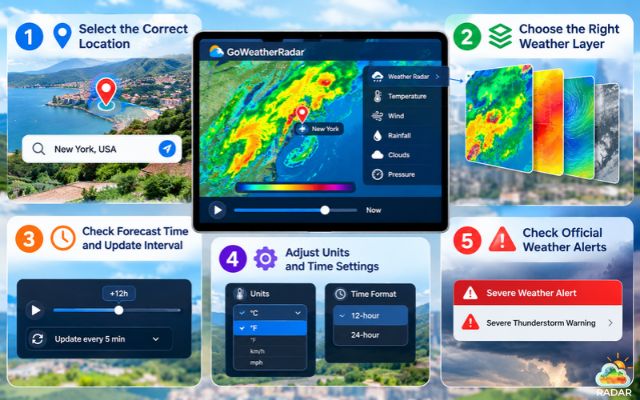
Accurately reading radar maps on GoWeatherRadar
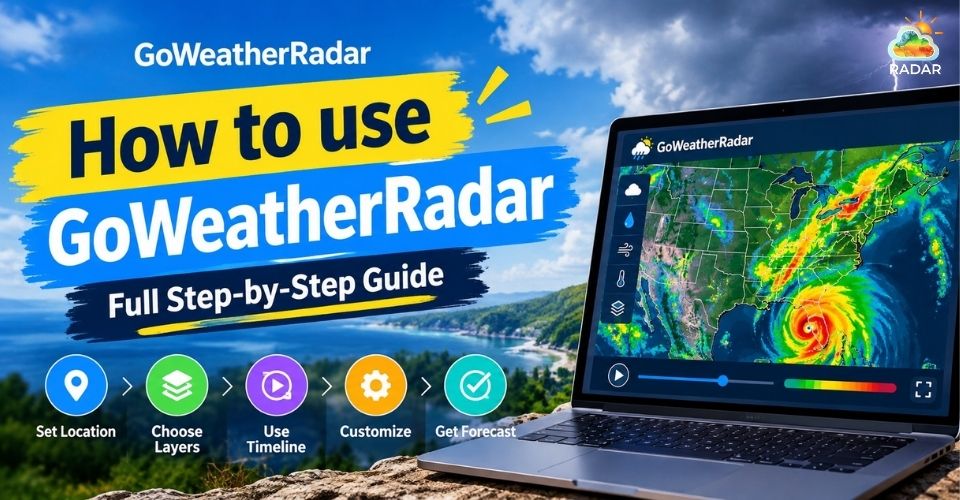
For a comprehensive guide on how to use GoWeatherRadar, drop by here!
Sum up
How accurate is GoWeatherRadar for daily forecasts? It provides useful weather insights through ECMWF forecast data and interactive map layers for rain, snow, wind, and temperature. While accuracy varies by location and forecast period, checking updated forecasts and official weather alerts helps you plan daily activities with greater confidence.


0 Comments
Leave a Comment
Your email address will not be published. Required fields are marked *